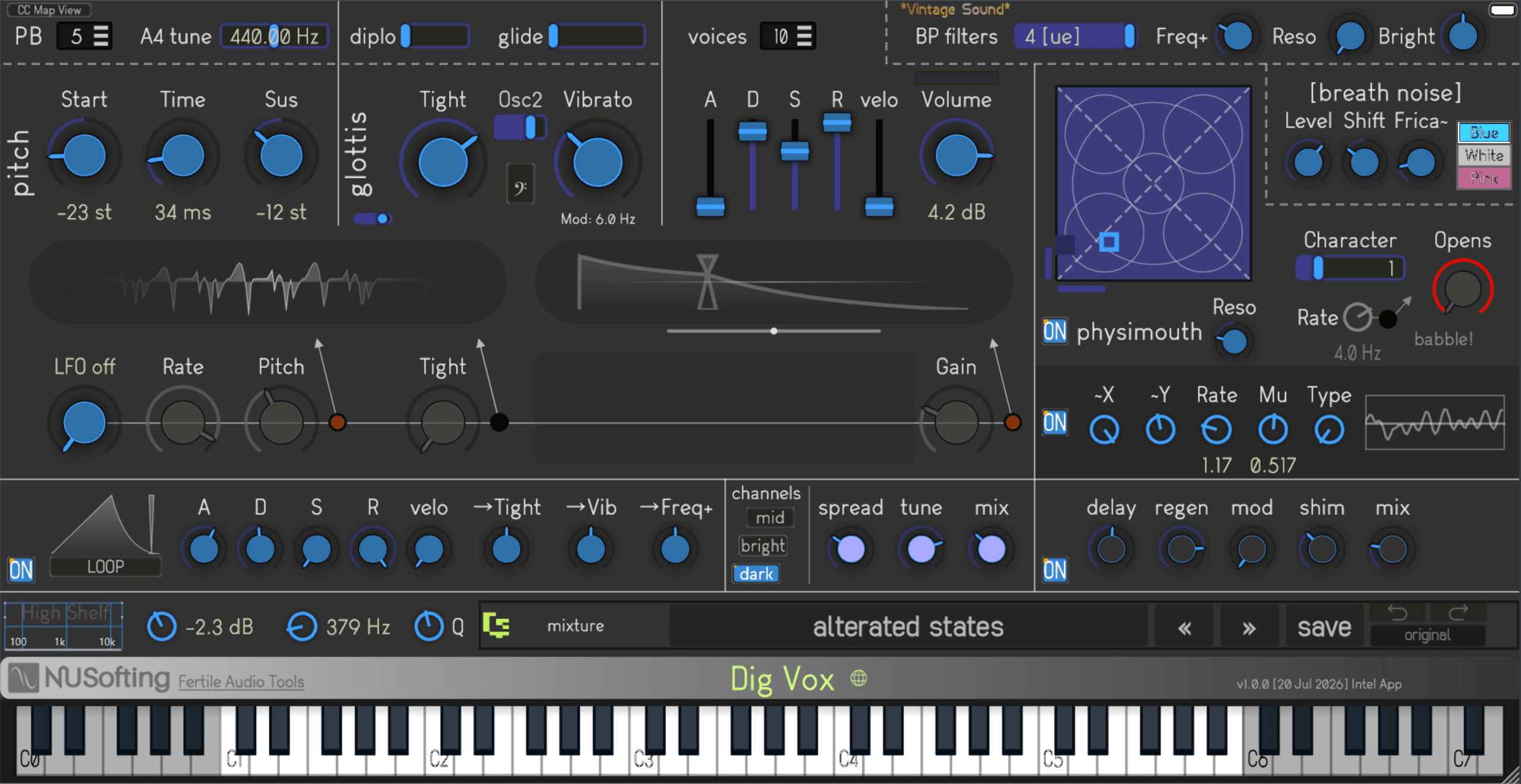
Dig Vox AU/VST3
€45.00
Vocals Synthesizer : plug-in
64 bit VST3
VST3 VST2
VST2
64 bitVST3 AU
AU
Overview
“For those seeking synthetic voices, otherworldly choirs, and unique vocal textures: Dig Vox has arrived.”
Dig Vox is a hybrid Physical Modelling and Formant synthesizer designed to explore the fascinating space where human vocals meet pure synthesis.
While it leverages advanced physical modelling for a striking degree of realism, it isn’t meant to replace snapshot-like, studio-recorded sample libraries. Instead, Dig Vox sits perfectly in the sweet spot between classic vintage formant synths and advanced human singer models. Think of it as a modern spiritual successor to legendary hardware like the Yamaha FS1R and other dedicated vocal synthesis units—engineered specifically to explore that borderline realism where choral voices sound beautifully organic, yet distinctively synthetic.
Whether you want to design haunting, otherworldly pads, classic vintage “vowel” choirs (captivating ahhs, ohhs, and ehhs), exotic world-vocal textures, or quirky, disturbing vocal FX, Dig Vox gives you deep internal modulation to bring your sound to life.
Core Features
- Accurate Glottis Model: Acts as the primary “vocal folds” oscillator for authentic source generation.
- Physical Vocal Tract Modelling: Simulates the throat, mouth, and tongue for organic vowel articulations and morphing.
- Band-Pass Filters: For classic, warm, analogue-style subtractive and resonant formant modelling.
- Breath Noise Generator: Adds realistic turbulence, air, and whisper characteristics.
- Deep Modulation: 4 LFOs and 2 ADSR envelopes for highly dynamic, evolving patches.
- Expressive Playability: Polyphonic Glide and an independent auto-bend per voice. MIDI CC learn.
- FX Module 1: A 4-voice multiplier/reflection engine for instant stereo width and space.
- FX Module 2: High-quality Delay, Chorus, and Reverb.
- Custom Patch Manager: Easily organise, save, and recall your favourite presets.
- Interactive UI: Hover-over parameter descriptions directly on the GUI for seamless workflow.
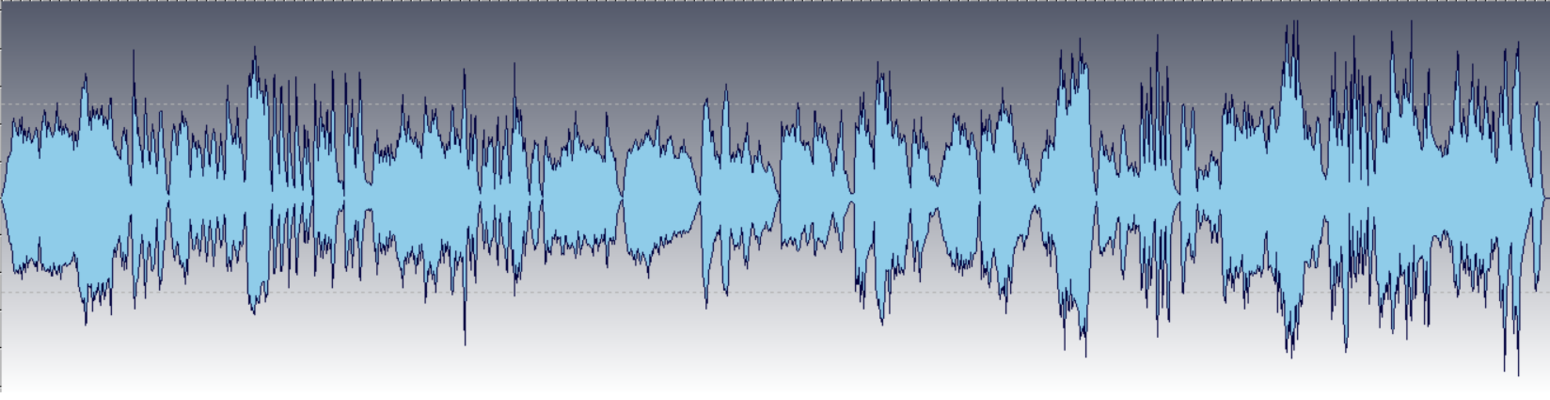
Demo track.
23 presets rendered at 48000 sampleRate, 16-bit.
Only two external effects used: limiter and very little lows equalizer.
Delay and Reverb are from Dig Vox itself.
Known Issues & Essential Facts
1. DAW State Saving vs. Custom Presets
The Custom Patch Manager handles states saved directly by your DAW/Host differently from custom preset files saved from within the Dig Vox GUI.
- DAW Project Saves: If you save a modified sound within your DAW project, it will reload exactly as you left it (no settings will be lost). However, because this data is recalled directly from the DAW’s memory, the plugin GUI will not display a specific preset name.
- Best Practice: We highly recommend saving your custom settings as a new preset file directly within the Dig Vox GUI. This allows you to easily assign a Name, Author, and Notes for quick recall across different projects.
2. Sample Rate Compatibility
Dig Vox supports sample rates from 22,050 Hz up to 192,000 Hz. Please keep the following in mind:
- Below 44,100 Hz: The physical modeling engine will shift into an interesting, gritty, and creative “lo-fi” character.
-
CPU Performance: Dig Vox runs its DSP models natively without internal downsampling. Running your DAW at sample rates above 48,000 Hz will result in higher CPU usage.
Tip: We suggest not playing Dig Vox at sample rates above 96,000 Hz. While it will work, the CPU usage will be very high with no sound quality benefit—actually, you may need to attenuate the high frequencies with an equalizer.
3. Documentation & Tutorials
Currently, NUSofting has not published a full user manual or video tutorial for Dig Vox. To bring you this unique synth at an extremely accessible launch price, we have focused on making the plugin as intuitive as possible. You will find that Dig Vox is easy to learn, thanks to the detailed, on-GUI parameter descriptions built directly into the interface.
Tip: Use Ctrl + Mouse (Command + Mouse on Mac) to fine-adjust knobs and sliders.
We plan to expand our official documentation and video tutorials in the future.
Demo & Licensing
- Try Before You Buy: The demo is free to download, with no email address or registration required. (The Mac installer is signed, but the Windows installer prompts for user approval when opened.)
- Demo Limitations: The demo is fully functional; however, each session is capped at 16 minutes. After this time, the audio will mute and the plugin requires a restart. A small caption on the synth GUI will also remind you of this.
- Installation: Please note that the demo version is not upgradeable to the full version. However, you can load presets saved with the Demo into the Full version of Dig Vox.
- Purchasing: Customers who purchase the full version will be asked to register at nusofting.net. You will then receive a custom-built, pre-authorized installer. No internet connection is needed to run it.
Support & Feedback
Have questions, suggestions, or feedback? We’re always happy to help. Please reach out to us directly at
nusofting@nusofting.net, and we will get back to you as soon as possible.
Downloads
64 bitVST3AUNUSofting_Dig_Vox_Demo_Installer_1.01_MAC64 bit
VST3VST2
NUSofting_Dig_Vox_Demo_Installer_1.01_WIN- Try Before You Buy: The demo is free to download, with no email address or registration required. (The Mac installer is signed, but the Windows installer prompts for user approval when opened.)
- Demo Limitations: The demo is fully functional; however, each session is capped at 16 minutes. After this time, the audio will mute and the plugin requires a restart. A small caption on the synth GUI will also remind you of this.
- Installation: Please note that the demo version is not upgradeable to the full version. However, you can load presets saved with the Demo into the Full version of Dig Vox.
- Purchasing: Customers who purchase the full version will be asked to register at nusofting.net. You will then receive a custom-built, pre-authorized installer. No internet connection is needed to run it.